
For researchers & knowledge workers
Your research rarely fits into one folder.
A paper can belong to one project, cover several subjects, come from a specific source and still need to be reviewed. Folders are useful for where a file lives. They are much less useful for everything else you need to remember about it.
Little Tagger helps turn Finder tags into the second layer of structure your research files are missing.
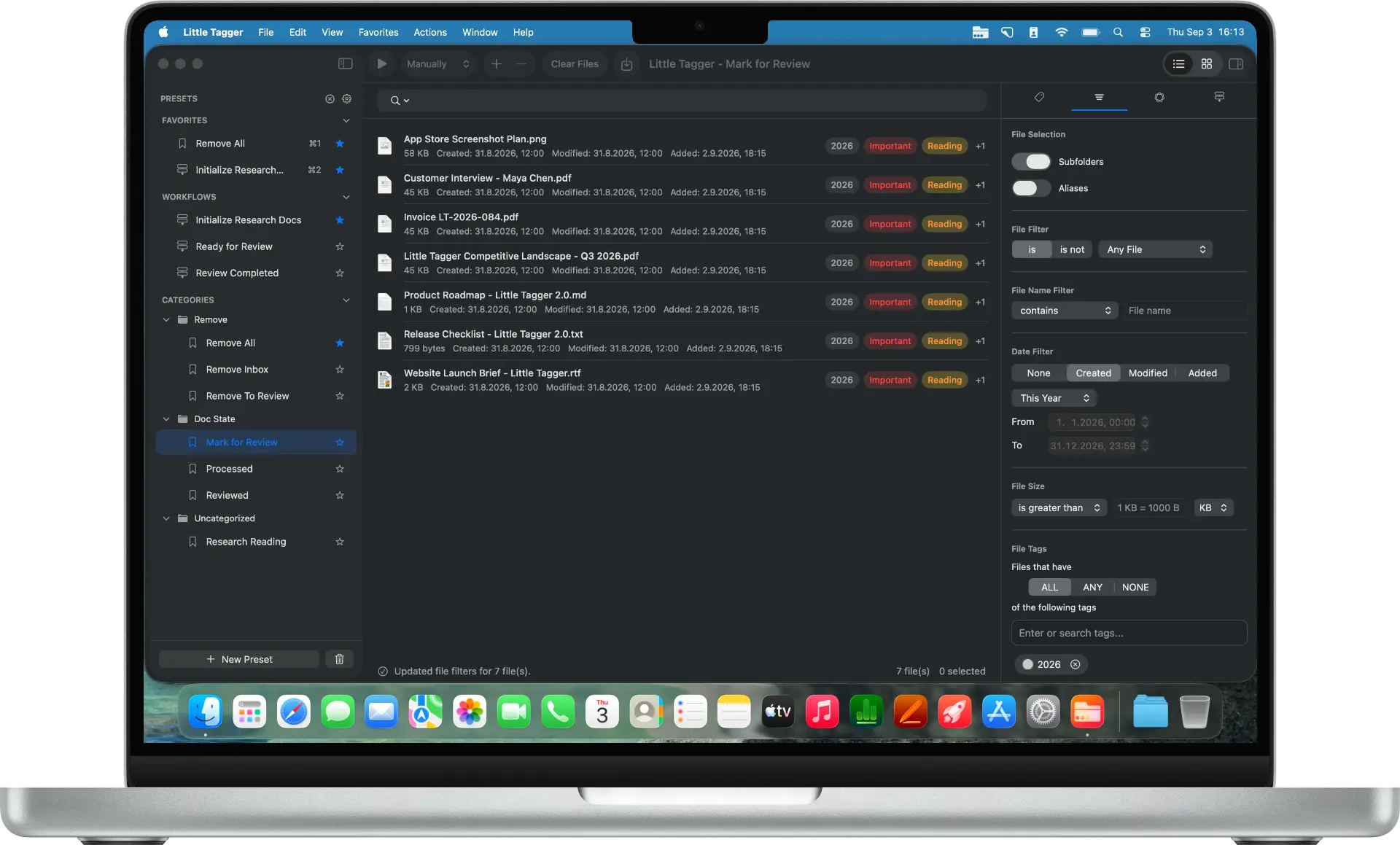
The problem is not storing the file. It is remembering what it means.
Research material accumulates quickly. Papers arrive as PDFs. Interview transcripts live next to notes. Reports are downloaded for one project and become relevant to another six months later. Datasets, reference images, presentations and supporting material all end up somewhere on disk.
A folder hierarchy can answer one question well: where did I put this file? But research work usually depends on several other questions at the same time.
- Which project does this support?
- What subject does it cover?
- Where did it come from?
- Have I reviewed it yet?
- Is it primary material, a reference, or supporting evidence?
- Could it also be relevant to another project?
The deeper the folder tree becomes, the more you have to choose one interpretation of a file and throw away the others.
Then the small inconsistencies start.
Finder tags can solve the multi-dimensional problem, but only as long as the tag system itself stays manageable. A research tag list usually degrades in a very recognizable way.
These inconsistencies rarely appear because somebody intentionally designed a bad system. They accumulate gradually. A tag is created quickly because the right one is hard to find. A project gets a slightly different naming convention. A temporary status survives long after the file has moved on.
Eventually, the tag list becomes another thing you have to manage manually.
And the same classification work comes back with every new batch.
Imagine you download twelve papers for the same research project. They all need the same project tag. Most are journal articles. All start in “To Review”. Several cover the same subject.
Finder still asks you to repeat that classification file by file or batch by batch. Next week, another set arrives and the process starts again.
The problem is no longer whether Finder supports tags. It does. The problem is that Finder gives you almost no system for reusing, maintaining and scaling the way you tag.
Keep the files where they belong. Add the context separately.
Little Tagger works with standard Finder tags, so your folder structure does not need to disappear. Instead, tags become a second layer for the information that crosses folder boundaries.
- Project Atlas/
- Papers/
- Reports/
- Interviews/
- Data/
Scenario
A realistic research workflow
You are working on Project Atlas, a long-running research project about AI adoption in professional services. During one week you collect fourteen academic papers, three industry reports, two interview transcripts, a spreadsheet of survey results and several screenshots and reference images.
A conventional folder approach gets you part of the way: papers, reports, interviews, data and images each get their own subfolder. That is useful, but it still does not tell you which files cover governance, which ones contain quantitative evidence, which material still needs review, or which report is also relevant to another project.
One possible system, expressed entirely in Finder tags, might look like this.
The point is the multi-dimensional structure, not this particular taxonomy. Your own dimensions may be entirely different.
The things that repeat become presets.
Every new paper for Project Atlas begins with some of the same classification. Instead of selecting those tags again, save the recurring action as a preset.
Subject tags can still differ from paper to paper. The preset does not force every file into the same classification — it removes the part of the work that is genuinely repetitive.
Save recurring project and source classifications with presets.
When several actions belong together, make them a workflow.
Workflows are useful when your tagging process has an order. They combine reusable presets and run them from top to bottom.
You decide which files enter Little Tagger and when the workflow runs: manually, immediately, or after a short delay once files arrive in the workspace. There is no background folder watching.
- 1Remove temporary import tags
- 2Add Project Atlas
- 3Add Journal Article
- 4Add To Review
When the hard part is deciding what else belongs.
The repetitive tags are usually easy. The harder question is often the subject: what is this paper actually about, and which tags from your existing system might fit?
On supported Macs, Little Tagger can use Apple Intelligence to suggest tags from the files in your workspace. Suggestions can take file content, filenames, metadata, images, existing tags and other available context into account. Everything runs on-device: no account, no uploads, no third-party AI service.
Nothing is tagged until you decide. Suggestions are proposals you review, not changes that happen on their own. Read how private on-device suggestions work.
Your research taxonomy should stay usable as it grows.
Projects end. Terminology changes. Temporary tags become obsolete. Similar names appear. Little Tagger gives the tag library itself a place to be inspected: unused tags, similar names, tags that are not assigned to any file, group organization and where a tag is actually being used.
The result is not “more tags.” It is more context.
- A paper can belong to several ideas without being duplicated.
- Progress can change without reorganizing folders.
- Recurring classification no longer starts from zero.
- Old tags can be maintained instead of simply accumulating.
- Search becomes more useful because the underlying tags stay consistent.
Little Tagger is not a reference manager and does not replace Zotero, DEVONthink or a notes database. It organizes the files you already keep on your Mac using native Finder tags.
This is for you if…
- You keep PDFs, reports, notes, datasets or reference material directly on your Mac.
- Your files belong to more than one useful category.
- You repeatedly apply the same project, source or progress tags.
- Your Finder tag list has become harder to maintain.
- You want better organization without moving everything into a proprietary database.
Spend less time organizing research. Keep more of its context.
Tag files in seconds, automate recurring tagging work and take control of your entire tag system. Private, native, built for Mac.

Free for 7 days · No account required · macOS 15+ · Apple Silicon